
Introduction:
Running a grocery store is not easy. Every day,you must handle billing, stock updates, customer rush, and payments. If these tasks are done manually, mistakes happen, and work becomes slow. A simple grocery store POS software solves this problem. It helps you bill faster, track items, avoid stockouts, and run the store with less effort. This Grocery Store POS software is built for busy stores that want a smooth and stress-free daily operation.
Key Takeaways:
- Easy to use, even for first-time users
- Fast billing system that reduces customer wait time
- Automatic stock updates after every sale
- Simple reports to understand daily sales and profit
Fast and Easy Billing for Grocery Stores
1. Quick Checkout for Busy Hours
Billing is the most important part of a grocery store. With a simple POS, you can scan items, select products, and print bills in seconds.
2. Error-Free Billing for Every Customer
Manual billing often leads to wrong prices or missing items. The software removes these issues by updating prices automatically.
3.Supports All Types of Payments
Today customers pay in many ways like cash, UPI, card, and wallet. The POS accepts all these payment modes. You do not need different machines or apps.
4.Quick Discounts and Offers
If your store provides daily or weekly offers, the POS can apply discounts with one click. This saves time and ensures the correct offer is added for each customer.
Smart Inventory Tracking for Daily Stock Control
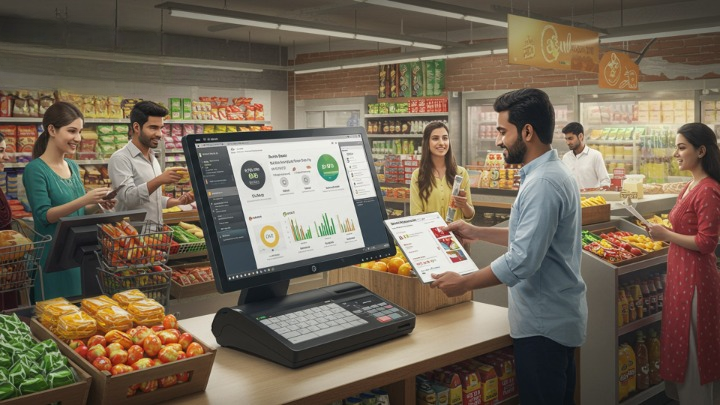
1.Auto-Update Stock After Every Sale
Each time you sell an item, the software reduces it from stock automatically. This helps you avoid overstocking or running out of items.
2.Alerts for Low Stock Items
The system gives alerts when popular products like rice, pulses, milk, or oil are about to finish. This saves you from losing sales and keeps your shelves filled every day.
4.Track Expiry Dates Easily
Grocery stores handle food products that have expiry dates. The system shows items that are near expiry,so you can sell them faster or return them to your supplier.
Easy Reports for Smarter Store Decisions
1.Understand Daily Sales in One Click
- The POS gives simple daily, weekly, and monthly sales reports.
- You can see how much you sold, how much profit you made, and which items performed best.
2.Track Staff Performance
- If multiple staff members handle billing, the POS shows how many bills each staff member generated and how much they sold.
- This helps you understand who is performing well and where improvements are needed.
3.Know Your Best-Selling Items
- The system clearly shows the fastest-moving products.
- With this information, you can stock more of these items and increase your sales.
4.GST and Tax Reports Made Simple
- Tax reports are usually difficult to prepare.
- The POS gives you ready-to-download GST reports that your accountant can use directly. This saves hours of manual work.
Smooth Store Management from One Dashboard
1. You can add items, update prices, and change barcodes from one screen. Everything stays organized and simple to control..
2. When supplier prices change, you can update them quickly. The new prices apply to all billing counters instantly. This keeps billing correct and fast.
3. You can see bills from every counter in one place. This helps you know which counter is busy and how your store is performing. All sales get recorded without errors.
4. You can check livestock levels anytime without going to the storeroom. The system updates stock automatically after every sale. This helps you reorder on time.
5. You can monitor multiple store branches from one dashboard. Stock, sales, and reports are visible for all locations. This makes managing many stores easy.
6. You can create and track purchase orders directly from the system. It shows pending and completed orders clearly. This keeps supplier planning under control.
7. Even if the internet goes down, billing continues smoothly. The system works offline without delay. When the internet returns, data syncs automatically.
8. All store data is safely backed up in the cloud. Even if your system crashes, nothing is lost. You can log in from any device to see your reports.
9. The system shows who made each bill and how much they sold. You can easily track staff performance. This helps you manage your team better.
10. The dashboard is clean and easy to understand. Anyone can learn it in minutes. This makes daily store operations simple and stress-free.
Conclusion:
A simple grocery store POS software can transform daily store operations. It helps you bill faster, avoid mistakes, manage stock automatically, handle payments smoothly, and understand your business better through reports which is why many store owners look for the best POS software for grocery store in India to run their business with ease.
Frequently Asked Questions
It is a system that helps you do billing and track stock. It manages daily store work efficiently. It makes your store operations faster and easier.
Yes, it is very simple to use. Even first-time users can understand it quickly.It takes only a few minutes to learn.
Yes, it works for small kirana stores and big supermarkets. It is suitable for any store size. It helps manage daily operations easily.
Yes, you can add items and update prices quickly. Barcodes can also be updated in a few clicks. Product management becomes simple and fast.
It helps you do billing, track stock, and manage daily store tasks.It speeds up operation and reduces mistakes.
Yes, it allows quick barcode scanning. Billing becomes faster and more accurate. It reduces manual entry errors.
Yes, it gives alerts when products are running low. You can reorder items on time. This avoids stockouts and missed sales.
Yes, billing works offline without interruption. All data syncs automatically when the internet returns. You can continue store operations smoothly.
Yes, it supports cash, UPI, card, and wallet payments. Customers can pay in any method they prefer. It makes transactions fast and easy.
- Yes, you can view live sales on any device. It helps you monitor your store anytime. You can track performance without being in the store.